
Survivors
Click LOOK UP SURVIVORS from the MAIN MENU. A list of the survivors entered will appear in a pop-up window listed alphabetically.
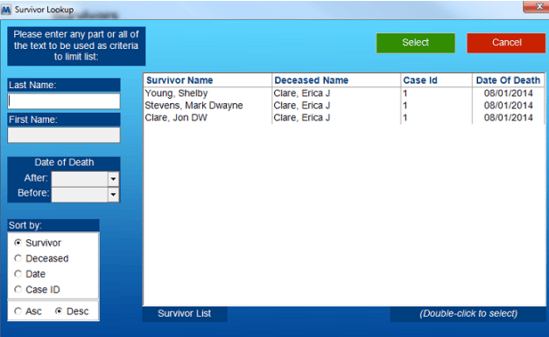
- You may choose from the list by double-clicking on the name of the survivor, or you may type in the name of the survivor in the text box and then click Continue. The SURVIVORS window will appear which shows the name of the deceased with whom the survivor is associated.
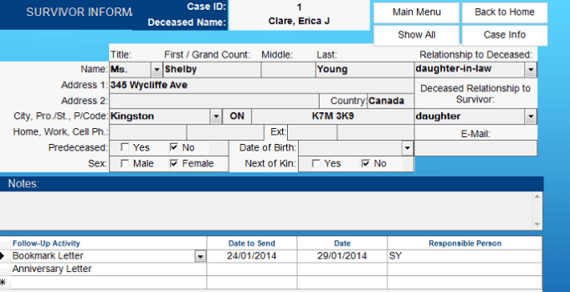
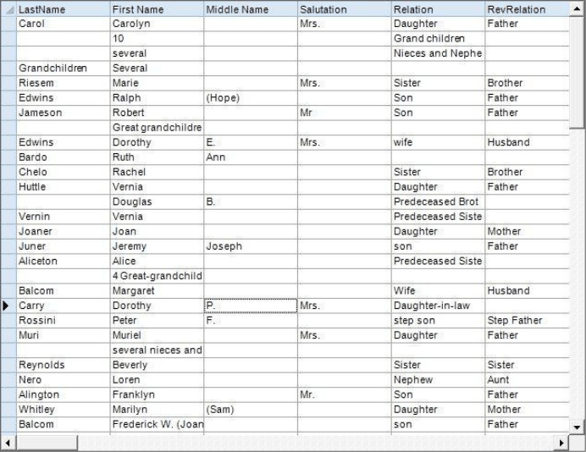
- To get a listing of all survivors, click Show All. A datasheet view of all survivors will appear on the screen. Click on the left of the desired line to highlight the survivor you would like to choose. Click the Form View icon, and the highlighted survivor will be shown on your screen.
**To view the Vital Statistics for this case, click CASE INFO. The CASE INFO window will appear on your screen. - Click the Survivors button to return to the Survivors window.
- Edit the survivor information, if you wish.
- Click Back to Home when done.