The media files section of the admin dashboard is where every image and video that is uploaded to the system is stored.
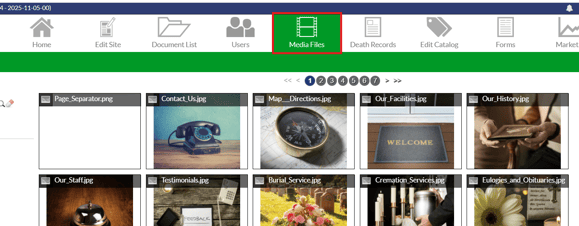
Every file has the file’s name at the top of it for easy reference. If you mouse over the photo, a grey box appears at the bottom with some additional options.
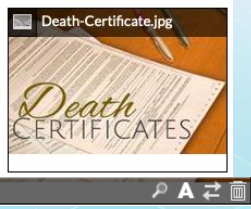
The magnifying glass icon allows you to open the picture in a bigger screen.
The A icon allows you to add alt-text to the file.
The opposing arrows icon allow you to replace a photo with another photo.
The garbage can icon deletes the photo or file from the system. This will remove it from every place it exists in the system.
Uploading Images and Youtube Videos
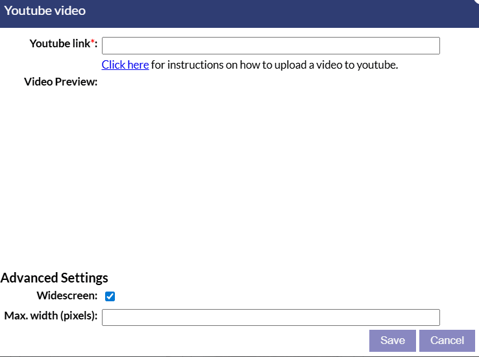
In the bottom left corner, images and Youtube videos can be uploaded using the upload images and add Youtube video buttons.
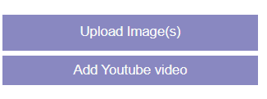
The upload image option allows you to upload an image from your device. The add Youtube video option will open a window where you can add a link to a Youtube video. Once the video link is saved, the video will be added to the media files section and can be used directly on your website or on record pages. Additional settings are available for Youtube videos to make them widescreen or adjust the pixel width the video will display with.
Browsing Media Files
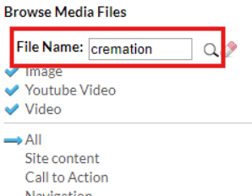
There are a few different ways you can search through your database of media files. Using the Search Bar, you can type in the name of the file you are looking for and then click on the
magnifying glass to start the search. The search is exact and will only search for exact matches of what you’ve entered.
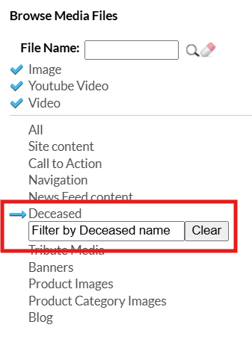
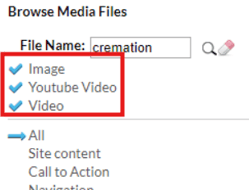
The file type can be filtered using the checkmarks below the search bar to further refine your search. Check or uncheck file types in order to determine whether they will appear in the search.
Categories can also be selected to browse specifically in a given category. These categories are assigned based on where the file was initially uploaded. The deceased category has a search bar so you search by the decedent’s name.