
In order to protect the integrity of the data, MiMS will only allow 1 person in a case at a time. When someone is already in a case, anyone that tries to go into that case will get a prompt letting them know that they can view the case but cannot enter any information in the case.
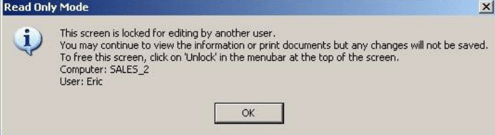
To “Unlock“ so that you can edit, a button will appear at the top of MiMS called “Unlock”.

Upon clicking this button, a window will display notifying you that the other user has 30 seconds to respond to the unlock request.

If the person is able to grant permission or does not answer the prompt you will gain control of the case and they will be locked out of editing the case. Only if they deny your request to take control can the other machine retain control of the case. Upon losing control of the case the person who was originally in the case will be taken back to the MiMS Main Menu.