
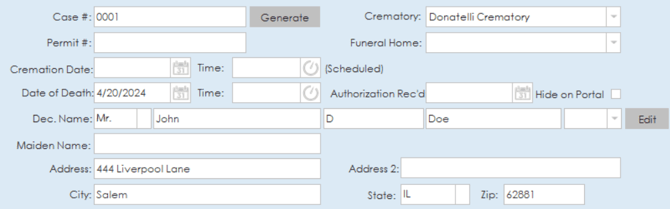
The client tab for a case in Phoenix has a variety of case details that can be filled out. A case number can be generated using the generate button at the top of the page or manually entered.

Other basic information can be entered for the deceased such as name, address, date of death, cremation date and funeral home/crematory.
Below the deceased information, information for the next of kin can be entered as well. NOK details such as name, address, contact, relation and whether the NOK has identified the deceased can be entered in this section.

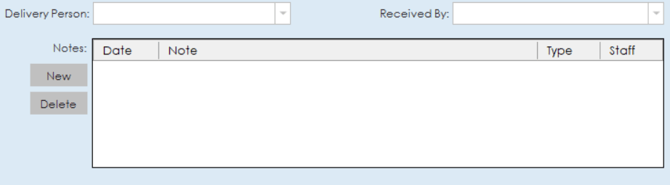
If needed, notes can be added to the case at the bottom of the client tab.
Vitals
The vitals section of the client tab is where additional vital information for the deceased can be entered. Details such as date of birth, age, weight, sex, race, cause of death, facility of death, address of death, implants, instructions, personal effects, physician and SSN can all be entered under this section.

Cremation Details
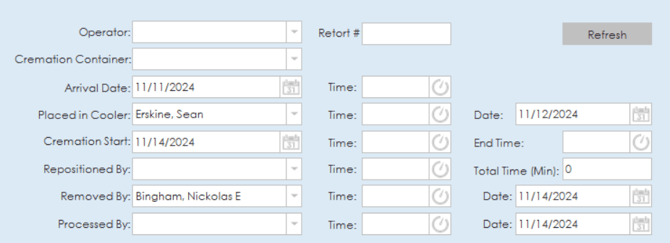
The cremation details section of the client tab is where specific details regarding cremation can be entered. On the top half of the page, details regarding the cremation process can be entered such as operator, retort number, cremation container, arrival, cooler, cremation start, repositioning and staff member information.
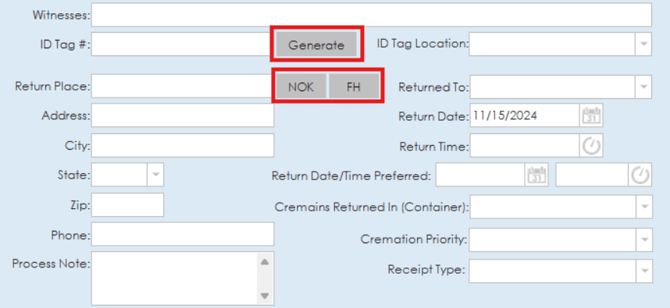
The bottom half of the page contains information regarding the witnesses, ID tag, return place address and contact information, date and time of return, cremation priority and type of receipt. ID tag numbers can be manually entered or generated using the generate button. Next of Kin or Funeral Home Information can be automatically filled out for the return place by clicking the "NOK" or "FH" button beside the return place option.
Status
The status section of the client tab allows you to enter status updates for the case to indicate what stage the cremation is at. Status options are available in the drop down list to indicate that the cremation process is:
- Awaiting Authorization
- In Retort
- Pending Cremation
- Ready for Pickup
- Returned to Family
- Returned to Vet
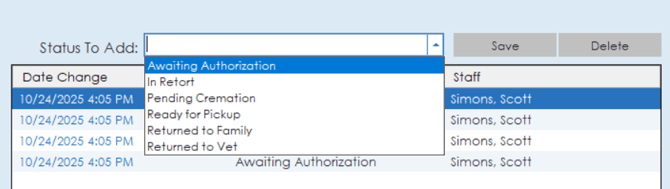
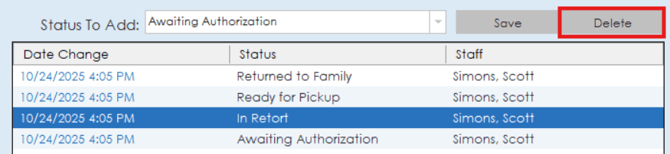
To add a status to the status list, simply select a status from the list and click save. The top of the list will be the most recently added status and the bottom of the list will be the first added status. If you need to delete a status from the list, simply highlight the status in the list and click the delete button.
Tasks
The tasks section in Phoenix works the same way that it does in Procession. A list of tasks that are on a case will be displayed and the toggle box can be used to mark tasks as complete for that case. Tasks for Procession and Phoenix can be set up independently through the tasks section on the settings page. More information on how tasks can be set up can be found on our Tasks Overview article.

Barcode Data
The barcode data section will list out any barcode entries for the deceased to track progress through the facility. Each entry will show a scan date, recorded date, location and the staff member who made the entry. Entries can be deleted by highlighting the entry and clicking the delete button at the top of the section.
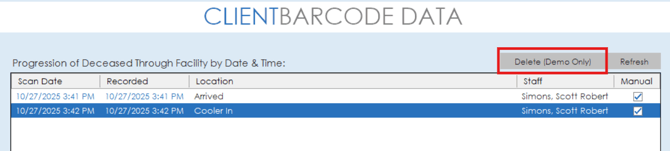
Barcode entries can also be manually entered at the bottom of this section. Simply select the resource from the drop down list and then click the save button to save the entry.

Custom Data
The custom data tab works the same way in Phoenix as it does in Procession. Custom information inputs can be added for documenting specific information that may not be included in the other client details areas.
For a more detailed guide on using the custom data fields, our Procession Client Tab article has a more in depth explanation at the bottom of the article.
Billing, Trusts and Commissions
The billing tab on cases in Phoenix functions the same as the billing tab in Procession. The billing section in Phoenix is a bit more simplified so there is a few missing areas, but all the core functionality for billing works the same way. To see a detailed breakdown of the billing section visit our Billing Tab article.
The trusts section in Phoenix operates the same way that it does in Procession. You can view a detailed overview of this section on our Trusts Overview article.
The commissions section in Phoenix operates the same way that it does in Procession. You can view a detailed overview of this section on our Commissions Overview article.
Printed Materials
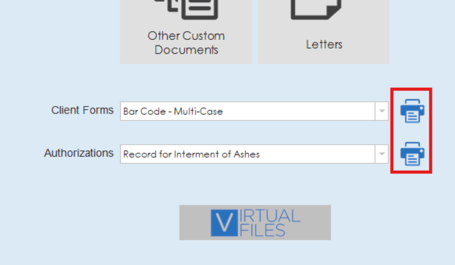
The printed materials tab on cases in Phoenix has similar functionality to the printed materials tab on cases in Procession but just more simplified. Documents such as client forms or authorization forms can be generated from the two drop down lists on the page. Simply select a form from one of the lists and click the print icon to generate the form.
The Designer Documents and Letters sections of the printed materials page function the same way that they do in Procession. To view more information on these sections, visit our Printed Materials article for a more detailed overview.
Phoenix Pet Client Tab
The Phoenix Pet client tab is very similar to the Phoenix client tab, but there are a few differences with some of the details. In place of the deceased, pet details can be entered and instead of a next of kin details, owner details will be entered.
For pets. details such as pet's name, type of animal, color, weight, breed and gender can all be entered. For the owner, details such as name, address information and contact information can be entered. Veterinary information such as veterinarian and vet clinic name can be added to the case details as well along with the crematory location and cremation type.
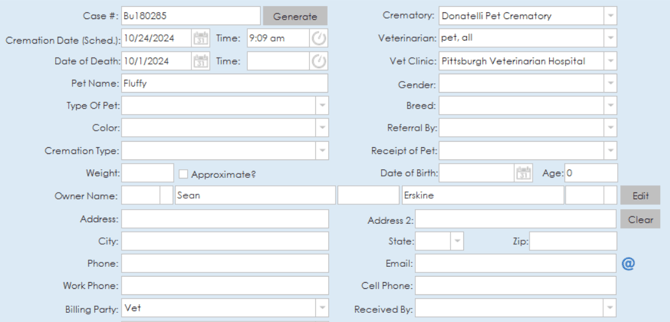
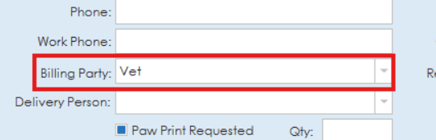
Billing party information can be selected to indicate whether the vet or owner are paying for the cremation service.
Options to take a paw print or lock of fur are also available to be toggled on the case, and areas are available to note special instructions or belongings as well.

The cremation details tab in Phoenix Pet is nearly identical to the cremation details tab in Phoenix with just a couple of small differences. The top section regarding cremation process details is all the same as it is in Phoenix. The bottom half though does not have a place to enter a witness, and the return place will show options for the owner or vet.
