
Tribute Video has a mobile app called Tribute Video Direct that allows for casting of videos to tv and streaming devices.
Downloading The App
The mobile app can be downloaded for Android or Apple devices from these links:
Tribute Video Direct supports the following devices for video AirPlay/Casting:
Apple-supported (Apple AirPlay) devices
- Apple TV
- Fire TV
- Roku
Android-supported (Google Cast) devices
- Android TV
- Chromecast
An Android TV app is also available, simply search "Tribute Video" on the play store to download the app on your smart TV.
Connecting Your Account
Once you have the app downloaded, you will need to connect your Tribute Video account. To connect your account, sign into Tribute Video and navigate to the settings page. Under the settings page there is a tab called "Video Direct".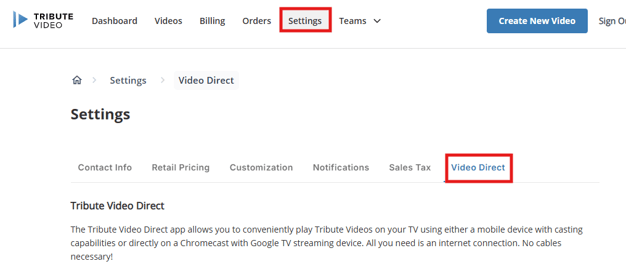
The first time you access this tab, you will need to accept the terms and conditions to continue.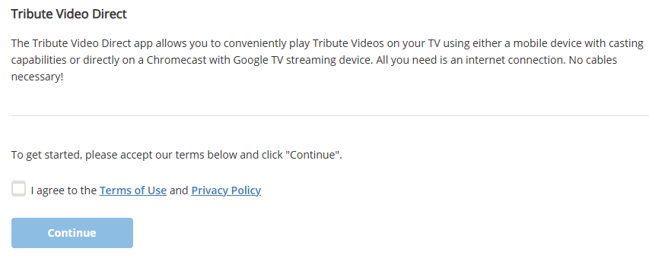
Once you have accepted the terms and conditions, instructions for setting up the app can be found and at the bottom of the page you will see your verification code. Simply enter the verification code into the app and your account will be connected.

After your account is connected to the app, you will have access to your Tribute Videos in the app to cast to your TV.