
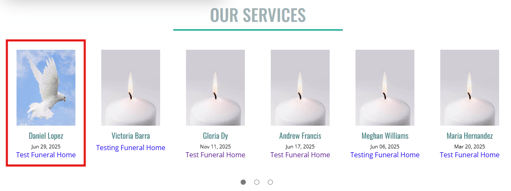
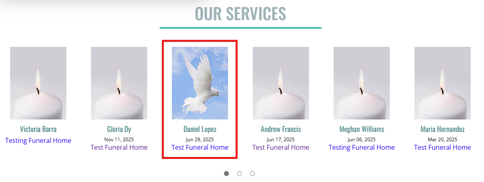
There may be a need in certain situations to bump an obituary back up to the first position on the home page of your website. This can make it easier for families to find the obituary page when, for example, a service happens months after the obituary was originally posted to the website. The Force to Home Page setting allows you to do this on your obituaries.
Where Is The Force to Home Page Setting?
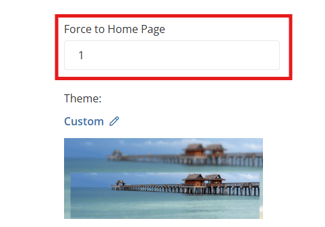
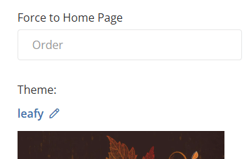
The Force to Home Page setting can be found on the edit page of an obituary, just above the theme image selection.
How Does The Force to Home Page Setting Work?
To move an obituary to the first place position on your home page obituary listing, simply add the number 1 in the Force to Home Page setting and save the obituary. This will make the obituary show in the first place position.
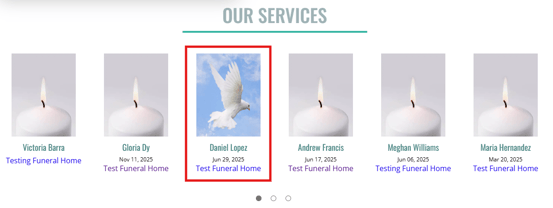
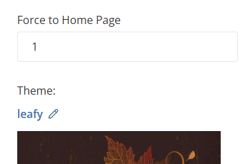
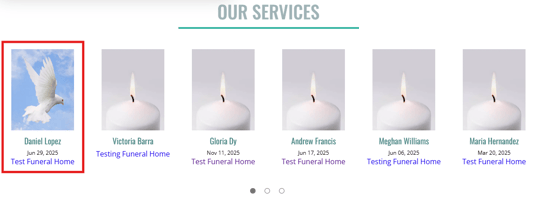
If you have multiple obituaries that you want to show in the first positions on the home page obituary listing, you can use the Force to Home Page with sequential numbers to position them. For example, the obituary that I set "1" on will show in the first place position. The obituary that I set "2" on will show in the second place position, "3" on an obituary will show in the third position and so on.
How To Make An Obituary Go Back To Its Regular Position
Once you no longer want an obituary forced to the front of the obituary listing, simply go back to the Force to Home Page setting, remove the number you entered so that it is blank, and save the obituary. This will cause the obituary to fall back to it's original position in the obituary listing.
Common Questions About The Force to Home Page Setting
Why can't I see the Force to Home Page setting?
If you can't see the Force to Home Page setting when on the edit page of an obituary, the permission to view that setting is not turned on for your user account. By default, only Administrator user accounts have access to this setting.
Why won't an obituary go to the first position after I set a Force to Home Page value?
Another obituary is also using that setting already. You will need to go the other obituaries that have that setting on and remove the Force to Home Page setting from them.
**If more than one obituary is set to the first position using the value "1" in the Force to Home Page setting, the obituary that was set to that position first will show in the first position with the other one following behind it in the second position.
Why won't my change save when I try to remove Force to Home Page for an obituary?
If you are trying to enter 0 as the Force to Home Page value, you will get a save error that prevents you from saving the change. To remove an obituary from Force to Home Page, you must remove the number entirely on the setting so that it is blank and then save.
Why can't I see a newly published obituary on the home page?
You may have too many obituaries with the Force to Home Page setting on. If you forget to remove the Force to Home Page setting from obituaries, the obituaries being forced to the home page can stack up over time and any newly posted obituary will never show up on the home page. It is important to remember to go in and remove the Force to Home Page setting on obituaries when you no longer need it on.