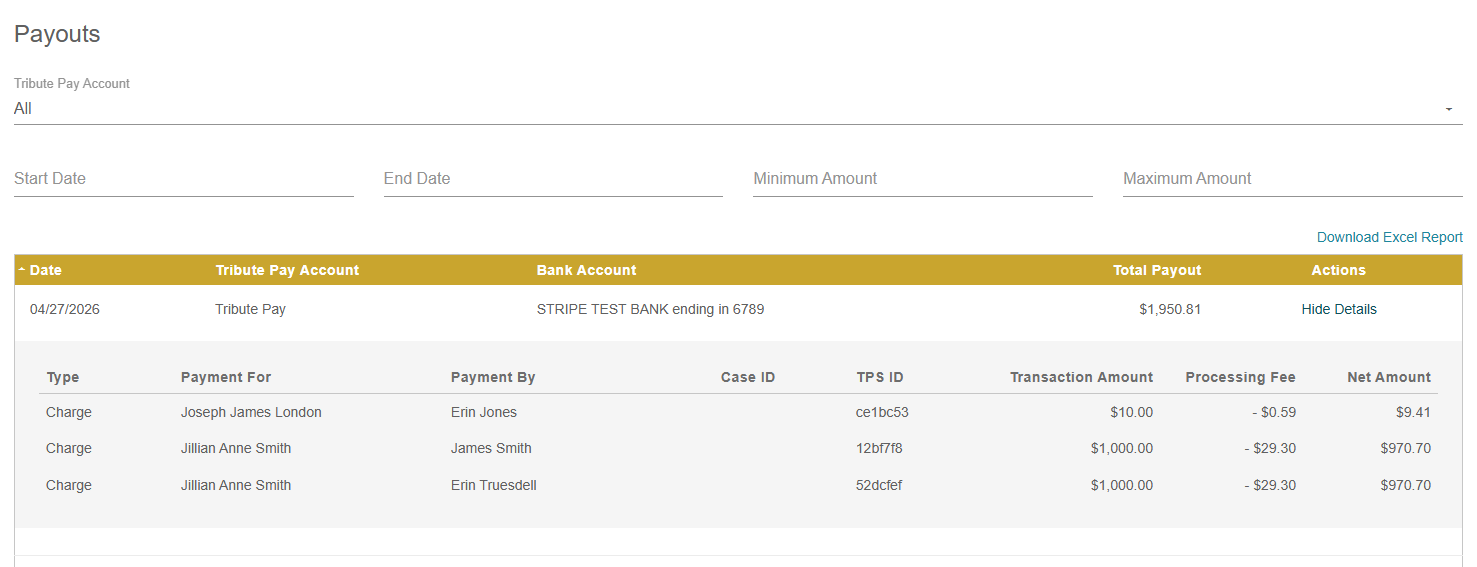
Reporting for Tribute Pay is found in the Payments tab from the menu on the left.
Transactions
From the Transactions log, you'll find a record of all transactions (cash, check, Tribute Pay processed transactions, etc.). By default, the logs will show the last 30 days of transactions.
The Download CSV button in the upper right allows you to download the report as a spreadsheet.
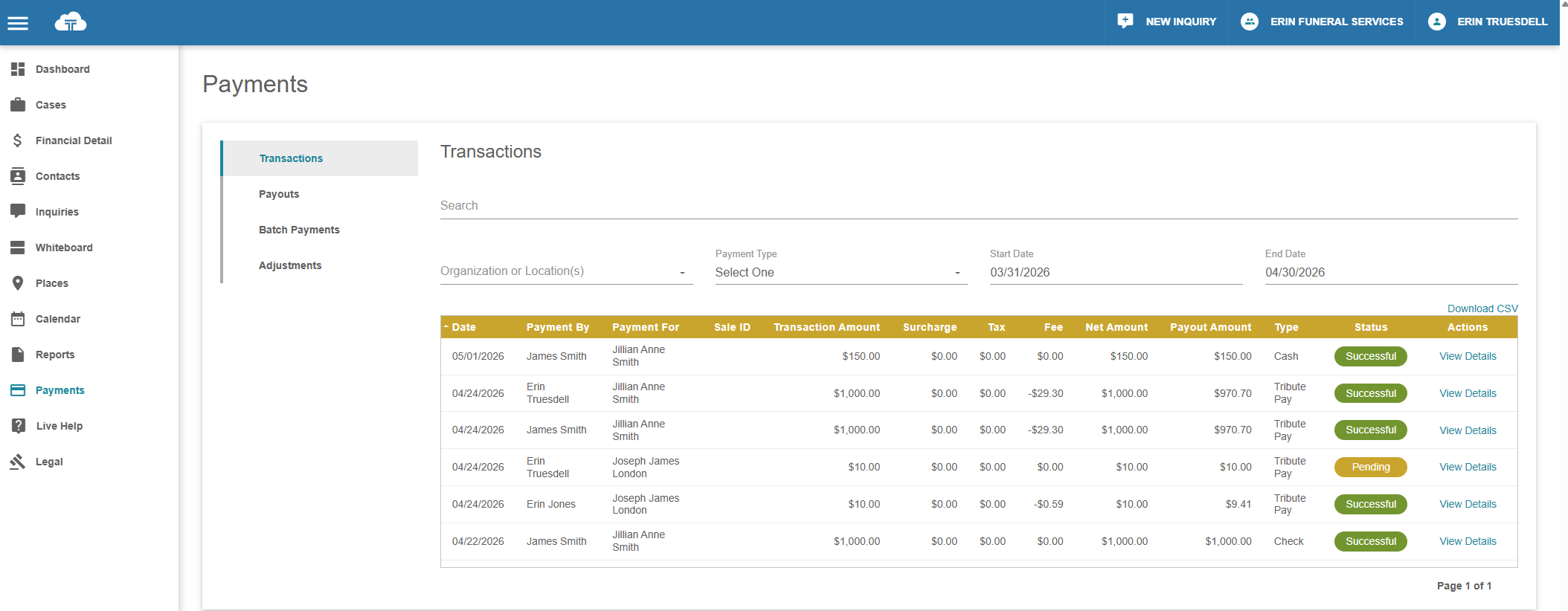
The filters above the log allow you to:
- Search by name
- Filter by organization or location
- Filter by payment type, including the ability to show all Tribute Pay accounts or an individual Tribute Pay account
- Adjust the date range
View Details on the far right will show additional details for each individual transaction.
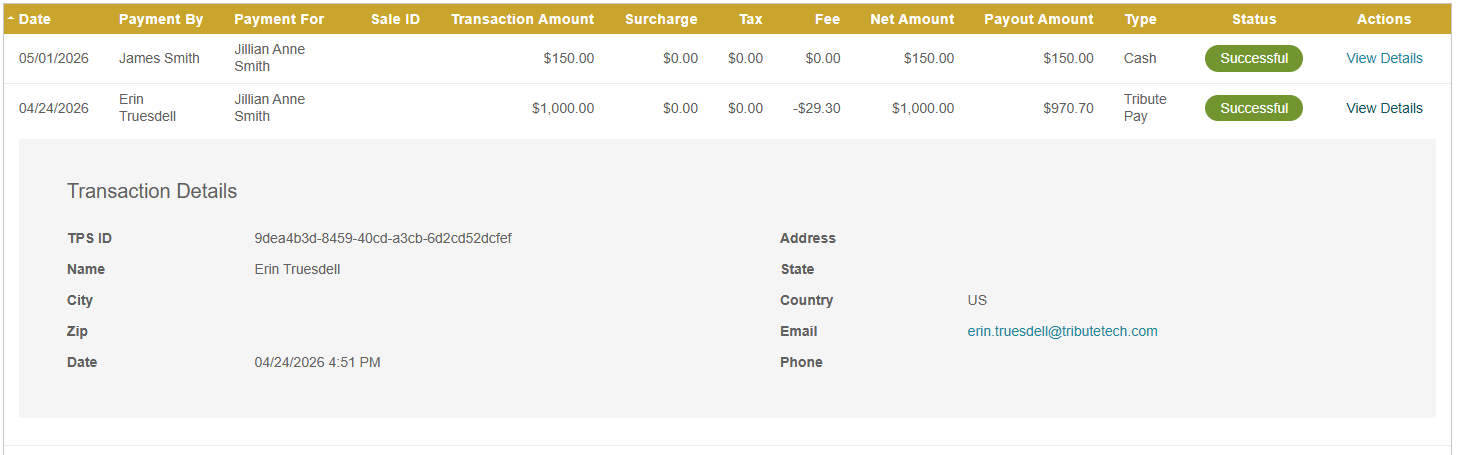
For those with Payment Reversal permission settings, transactions that are eligible to be reversed can be done so here as well. See our page on Reversing a Tribute Pay Transaction for more details.
Payouts
The Payouts log displays the deposits to your bank account from your Tribute Pay processing.
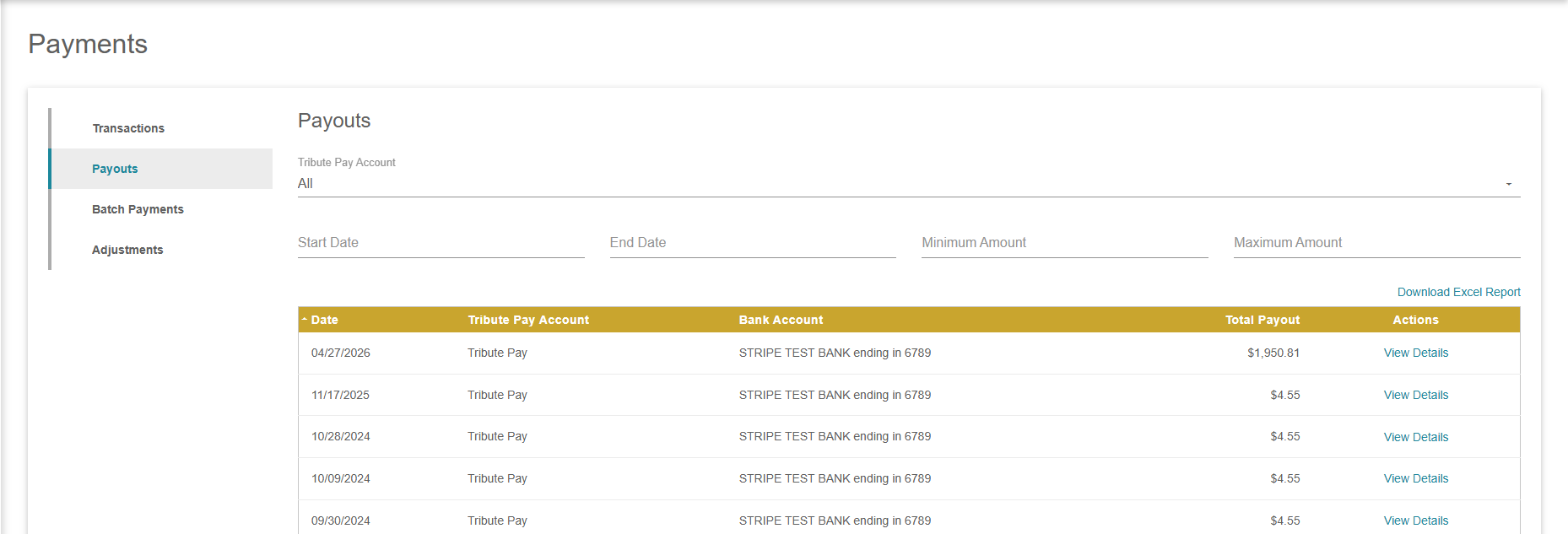
The filters above the log allow you to:
- View payouts from a particular Tribute Pay account
- Adjust the date range
- Filter by min or max amount
The Download CSV button in the upper right allows you to download the report as a spreadsheet.
The View Details button on the right allows you to see the individual transactions that were batched into the single payout.